


Reason
4.78.00 Reviews
App Specs
- Version
- 1.0.3
- Updated On
- License
- Free
- Downloads
- 10,000+
- Developer
- Reason Foundation
- Categories
- News & Magazines
- Platform
- Android
Screenshots

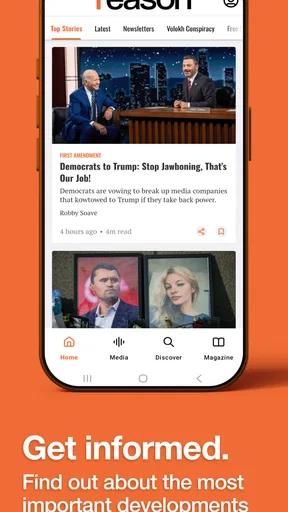
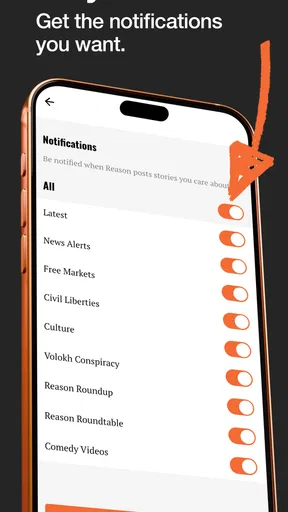
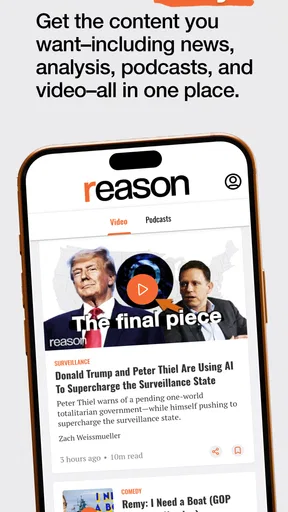


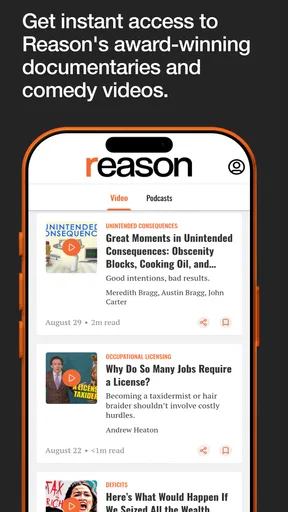

 Analysis by AppCompare
I came away from Reason with a fairly clear impression: it is best understood as a focused reading and listening app for people who want news, ideas, video, and podcasts through a libertarian lens, rather than as a neutral replacement for every news source on a phone. That focus is both its main attraction and its biggest boundary. If you already want the perspective associated with Reason Foundation, the app gives that material a convenient home. If you are looking for a broad, politically balanced news dashboard, you may find its editorial viewpoint too narrow.
The app is free, belongs to the News & Magazines category, and is developed by Reason Foundation. Its audience rating is Everyone 10+, which makes it suitable for a wide range of readers while still signaling that the subject matter may include mature ideas or current-affairs discussion. I also found the app approachable for casual use: you can open it when you have a few minutes, browse a topic, or settle in for a longer listen without treating it like a full-time news project.
How Reason works as a perspective-driven news app
The most important thing to understand before installing it is that the point is not simply speed. Many mainstream news apps compete by pushing a constant stream of alerts, headlines, and rapidly changing stories. Reason takes a more identifiable editorial position. The material is presented from a libertarian perspective, so the app is more useful when you want to explore how that viewpoint interprets public policy, government power, individual freedom, and cultural or economic questions.
That makes it different from a general news reader. A general reader is usually built around breadth: collect as many sources as possible, then let you compare them. Here, the value comes from consistency of outlook. I can see why that would appeal to someone who is tired of jumping between unrelated publications and wants a single place for commentary, reporting, video, and audio that share an intellectual starting point.
At the same time, consistency should not be confused with neutrality. I would not use this app as my only way to understand a complicated event. A strong opinionated source can help reveal arguments that other outlets overlook, but it can also shape which questions receive attention in the first place. My practical advice is to use Reason as one deliberate part of a news routine, especially when a subject matters enough to deserve more than one perspective.
Why the mixture of formats matters
The combination of written news, ideas, videos, and podcasts is more useful than it may sound at first. News is usually what I want when I need a quick update. An ideas section can be better when I want interpretation or a broader argument. Video helps when the subject benefits from explanation or a more personal presentation, while podcasts fit naturally into time when I cannot keep looking at a screen.
This variety gives the app several realistic roles during an ordinary day. I might read a short piece during a break, save the larger question for a longer session, and switch to audio while walking or doing household work. That is a better fit for modern attention patterns than an app that assumes every user wants to read long articles from beginning to end.
Worth Reading Before You Choose

Baby Panda World Brings Quick Play to Modern Phones, but Its Game Library Feels Busy

ESPN’s Live Game View Makes Following Close Games Easier

QuizzLand Review: A Good Fit for Short Trivia Breaks, Not Every Player

Basketball Stars: Multiplayer Is Fast, but Can It Recover When Matches Go Wrong?

WEBTOON Turns Phone Updates Into a Better Reading Routine

Link to Windows Runs on Shared Habits, Not Social Feeds
There is also a useful trade-off here. Different formats can make the same editorial perspective easier to absorb, but they can also encourage passive consumption. Listening to a podcast while doing something else is convenient, yet it is harder to pause and examine a claim than when reading carefully. I recommend switching formats intentionally: use audio for discovery, then read closely when an argument could influence your opinion or decisions.
A practical way to use it without becoming trapped in one viewpoint
My preferred workflow would be to treat Reason as a perspective check rather than an entire information diet. Start with the subjects that genuinely affect you, not with endless browsing. Read or listen to the app’s treatment, note the central claim, and then compare that claim with a source that approaches the issue differently. This is especially worthwhile for politics, public spending, regulation, policing, education, and social policy, where the framing can matter as much as the headline.
That workflow is one of the app’s less obvious strengths. A viewpoint-specific publication is not automatically less useful than a general one; it can be valuable precisely because it makes its intellectual angle recognizable. The responsibility simply shifts to the reader. Instead of assuming that a single feed gives the whole picture, I use it to challenge my assumptions and identify arguments I may not encounter elsewhere.
For students, this can be a particularly practical exercise. Rather than copying an article’s conclusion, compare its reasoning with an opposing interpretation and ask which facts are emphasized, which values are treated as priorities, and which consequences are considered acceptable. The app is more rewarding when used as a starting point for that kind of comparison than when it is treated as an unquestionable authority.
What I liked about the reading experience
The clearest strength is editorial identity. Many news applications blur together because they offer similar headline lists and general-purpose categories. Reason has a recognizable reason to exist: it gathers material connected to a libertarian outlook and presents it across several media types. That makes it easier to decide whether it belongs in your daily routine.
I also like that the app can serve different levels of attention. Someone who only has a moment can check a headline or short item, while someone with more time can move toward analysis, video, or a podcast. The free price removes an obvious barrier to trying it, which is helpful for readers who want to test the tone and usefulness before committing to a new news habit.
The app’s public reception is encouraging as well. It holds a 4.7 average from around 91 ratings, and it has passed 10 thousand installs. Those figures suggest that the early audience has responded positively, although I would still treat them as a signal rather than proof that every reader will enjoy the editorial approach. A high rating can tell you that the intended audience is satisfied; it cannot make a viewpoint feel compatible with everyone.
Where the app may frustrate you
The main limitation is not a missing convenience feature; it is the narrowness that comes with a clear political perspective. If you want an app that places competing interpretations side by side, Reason does not appear to be designed around that job. You will need another source for broader comparison, and that extra step may feel inconvenient if your goal is a single neutral-looking feed.
There is also a risk of confusing familiarity with reliability. When articles and programs repeatedly share an outlook I already understand, the experience can feel coherent and comfortable. But coherence can reduce friction in a way that is not always helpful. I try to notice when I am agreeing because an argument is well supported and when I am agreeing because it uses assumptions I already share.
The mix of formats can create a second kind of friction. Readers who prefer a clean, text-first news tool may find video and podcasts unnecessary, while people who mainly want audio may not care about written material. The app’s broader range is useful only if you actually move between formats. If you have a very specific preference, a dedicated podcast player, video service, or newspaper app may offer a more direct experience.
I would also avoid expecting it to replace urgent local information. A perspective-driven national or policy-oriented app can help explain ideas, but it is not the same as a local newsroom, an emergency alert service, or a specialized source for practical community updates. For weather, transport disruptions, local elections, or immediate public notices, another app is likely to be more useful.
Who will get the most from it
Reason is a strong fit for readers who already identify with libertarian ideas or who want to understand them more deeply. It is also worthwhile for politically curious people who are deliberately building a varied reading list. You do not have to agree with every conclusion to benefit from seeing how a consistent perspective frames questions about freedom, responsibility, markets, and government intervention.
I can also recommend it to podcast and video users who want those formats connected to a recognizable editorial project. Instead of discovering isolated programs through a large platform, you get a more focused route into material associated with Reason Foundation. That focus can make exploration simpler, particularly when you want ideas rather than an endless algorithmic stream.
It is less suitable for someone who wants only impartial headlines, local reporting, financial market updates, or a single app that aggregates many political positions. A reader who dislikes commentary or prefers to form opinions from strictly short factual briefs may also find the app’s identity more prominent than desired. In that case, a broad news aggregator or a publication with a different editorial model would be a better match.
Parents and younger users should also keep the Everyone 10+ rating in mind. It is not a warning that the app is inappropriate for ordinary family use, but current affairs and political discussion can involve subjects that deserve context. I would encourage younger readers to discuss difficult topics with a trusted adult rather than treating any news application as a complete guide to complex issues.
Device support and what to expect from the current release
The app is available for devices running Android 8.0 or later, which covers a substantial range of phones and tablets while excluding older hardware. The current version is 1.0.3, so I would approach it as a relatively young product rather than a mature, feature-heavy news platform. That does not make it a poor choice, but it does make expectations important: install it for its content and editorial focus first, not because you expect years of accumulated customization.
Because it is free, trying it is straightforward if your device meets that software requirement. I would spend a few sessions testing the balance of formats rather than judging it from one opening screen. Ask yourself whether the articles give you enough substance, whether the podcast and video material fit your routine, and whether the libertarian framing adds something to your understanding. Those answers matter more than the initial novelty of a new app.
One small but meaningful habit is to decide in advance when you will use it. A short morning check can easily turn into unplanned scrolling, while a scheduled evening session gives you time to compare important claims with other sources. The app is most valuable when it supports intentional reading rather than becoming another stream of notifications competing for attention.
My final assessment
I see Reason as a focused companion for news and ideas, not a universal news replacement. Its strongest feature is the combination of a clear libertarian editorial identity with written material, video, and podcasts. That makes it useful for people who want to explore a particular way of thinking across more than one format, and the free cost makes experimentation easy.
Its weakness is inseparable from that strength. The same viewpoint that gives the app purpose can make it a poor fit for readers seeking political balance in one place. I would keep another general news source alongside it, especially for major events and subjects where framing can strongly influence understanding.
My recommendation is simple: install it if you want a distinct libertarian perspective and are willing to compare it with other sources. Skip it if you want local updates, purely neutral headlines, or a broad aggregator that minimizes editorial identity. For the right reader, Reason can become a thoughtful part of a news routine; for everyone else, its focused outlook may feel more limiting than helpful.
As a free News & Magazines app from Reason Foundation, with an Everyone 10+ rating and support beginning at Android 8.0, it is easy to try without much commitment. I would judge it not by whether it agrees with me, but by whether it gives me useful arguments, questions my assumptions, and earns a regular place beside—not instead of—the rest of my reading.
Pros
- Clean
- distraction-free interface for focused writing
- Supports Markdown formatting for structured notes
- Fast search makes finding notes simple
- Works well for short notes and daily reflections
- Minimal design keeps the app easy to navigate
Cons
- Limited collaboration features for shared documents
- Advanced formatting options may feel too basic
- Organization tools can be insufficient for large note libraries
- Some features may require additional setup or configuration
- Not ideal for users seeking a full productivity suite
FAQs for Reason
What is Reason, and what can I use it for?
Reason is a productivity and organization app designed to help users collect, structure, and manage information in one place. Depending on the version and platform, it may support notes, tasks, reminders, documents, or other planning tools. Before downloading, review the current store description carefully because available features, integrations, and supported devices can differ between Android, iOS, and subscription plans.
Is Reason free to download and use?
Reason may be available as a free download, but some functions can require a subscription, one-time purchase, or in-app payment. Free access may include limits on storage, advanced tools, synchronization, collaboration, or customization. We recommend checking the pricing section in the Google Play Store or App Store before creating an account, especially if the app offers a free trial that automatically renews.
Does Reason require an account or an internet connection?
The exact requirements depend on how you plan to use Reason. Basic features may work after installation, while synchronization, backups, collaboration, or access across multiple devices may require an account and an active internet connection. If offline access is important to you, test whether content can be created, viewed, and edited without a connection before relying on the app.
Is my information safe when using Reason?
Before entering private notes, documents, personal plans, or other sensitive information, review Reason’s privacy policy and the permissions requested during setup. Pay attention to how data is collected, stored, synchronized, and shared with service providers. You should also enable any available passcode, biometric lock, or account security option and use a strong, unique password.
Which devices and operating systems support Reason?
Reason’s availability and performance can vary depending on your device, operating system version, and the app edition offered in your region. Check the official Google Play Store or Apple App Store listing for minimum requirements, recent update information, tablet support, and compatibility details. Keeping your operating system updated can also help prevent crashes and synchronization problems.


